Using the clone tool
While manually adding a folder and template ini-file is easy enough, editing that ini-file is straight forward unless you know what the various definition means. A much easier way is to use the clone tool and create a derivative of an already existing project template.
Opening the clone tool
Start by clicking the 'New project' button from the IDE's main toolbar.
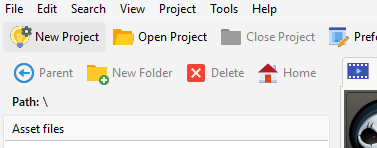
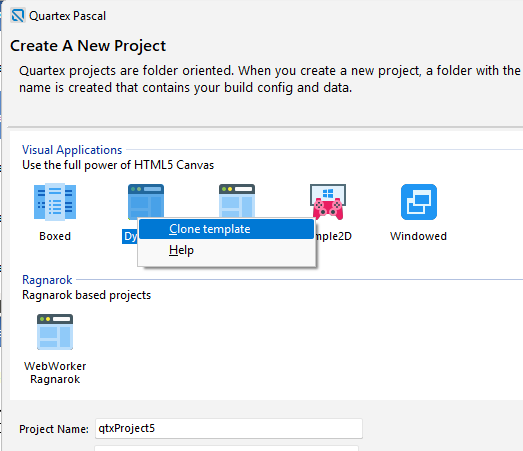
This brings up the "New Project" dialog. But instead of creating a new project like normal, we are going to clone one of the existing projects instead!
- Select a project that fits the behavior you are building (see application models)
- Right-click that item to show the pop-up menu
- From the pop-up menu, select the "Clone template" option.
This brings up the clone tool where you can edit key aspects of your new project type. Making a unique name for your template is very important here, so it doesn't collide with already existing templates.
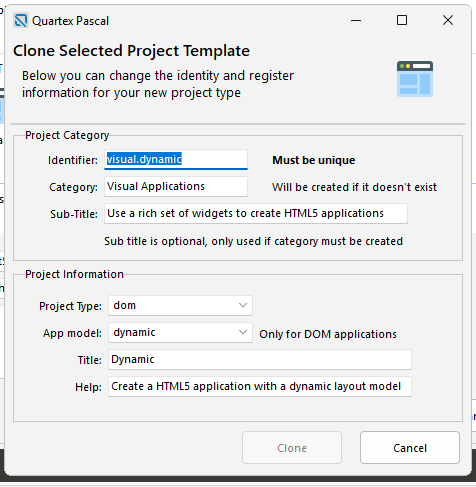
Once this has done and your clone is available, you can replace the files inside the new folder with whatever form(s), css, js or anything else your template needs.